Fio
A downloadable tool for Windows, macOS, and Linux
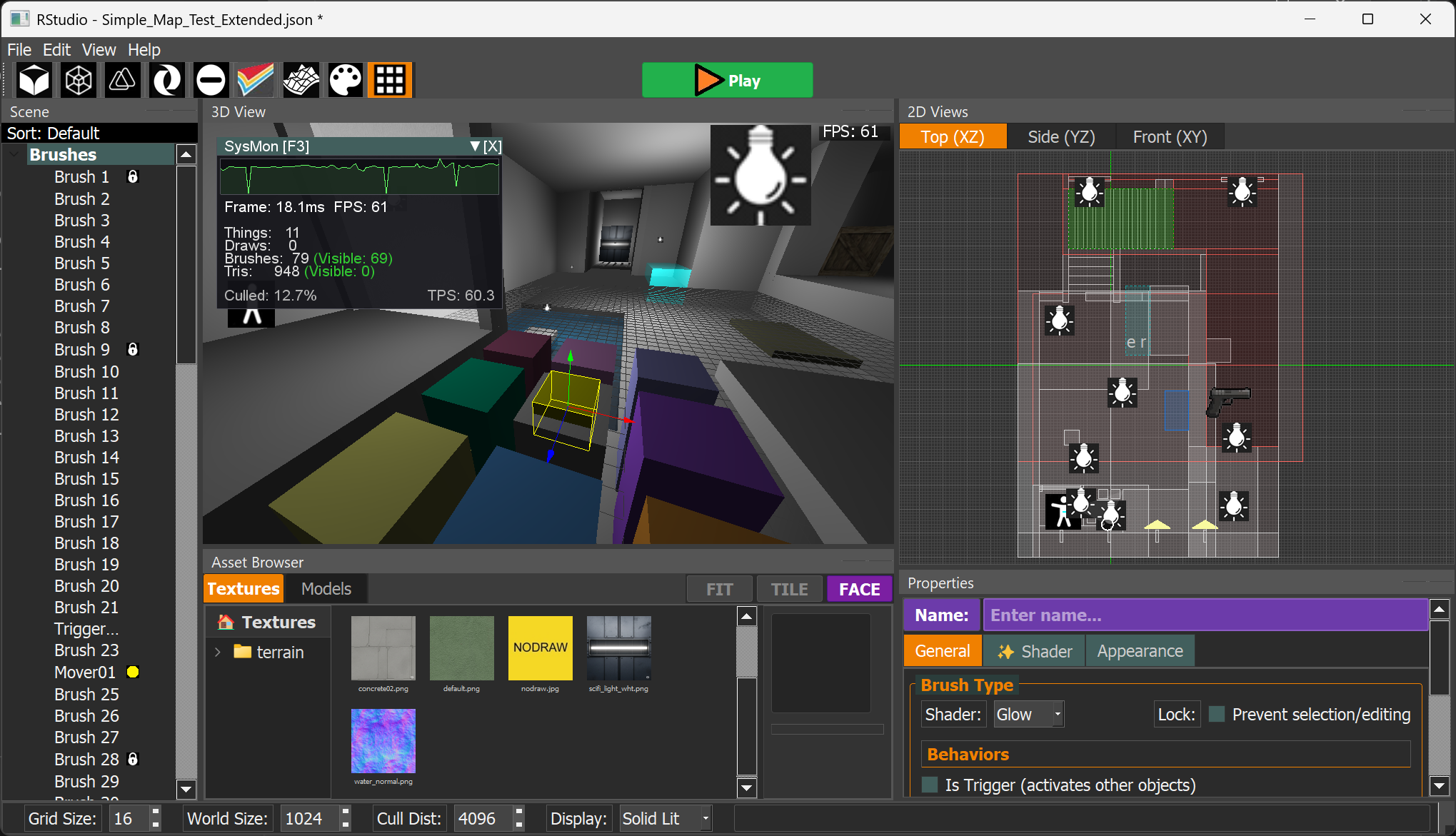
Unified Liminal World Editor, Procedural Engine & Game Creation Toolkit inspired by Radiant and Hammer.
Fio is a modern, instant-iteration take on classic CSG level editors
Designed on low-power ARM hardware with an efficiency-first philosophy.
Key Features
- Hit "Play" instantly: no import, compile or bake step
- Edit and play in the same runtime
- Classic brush-based editing with arbitrary convex polyhedra
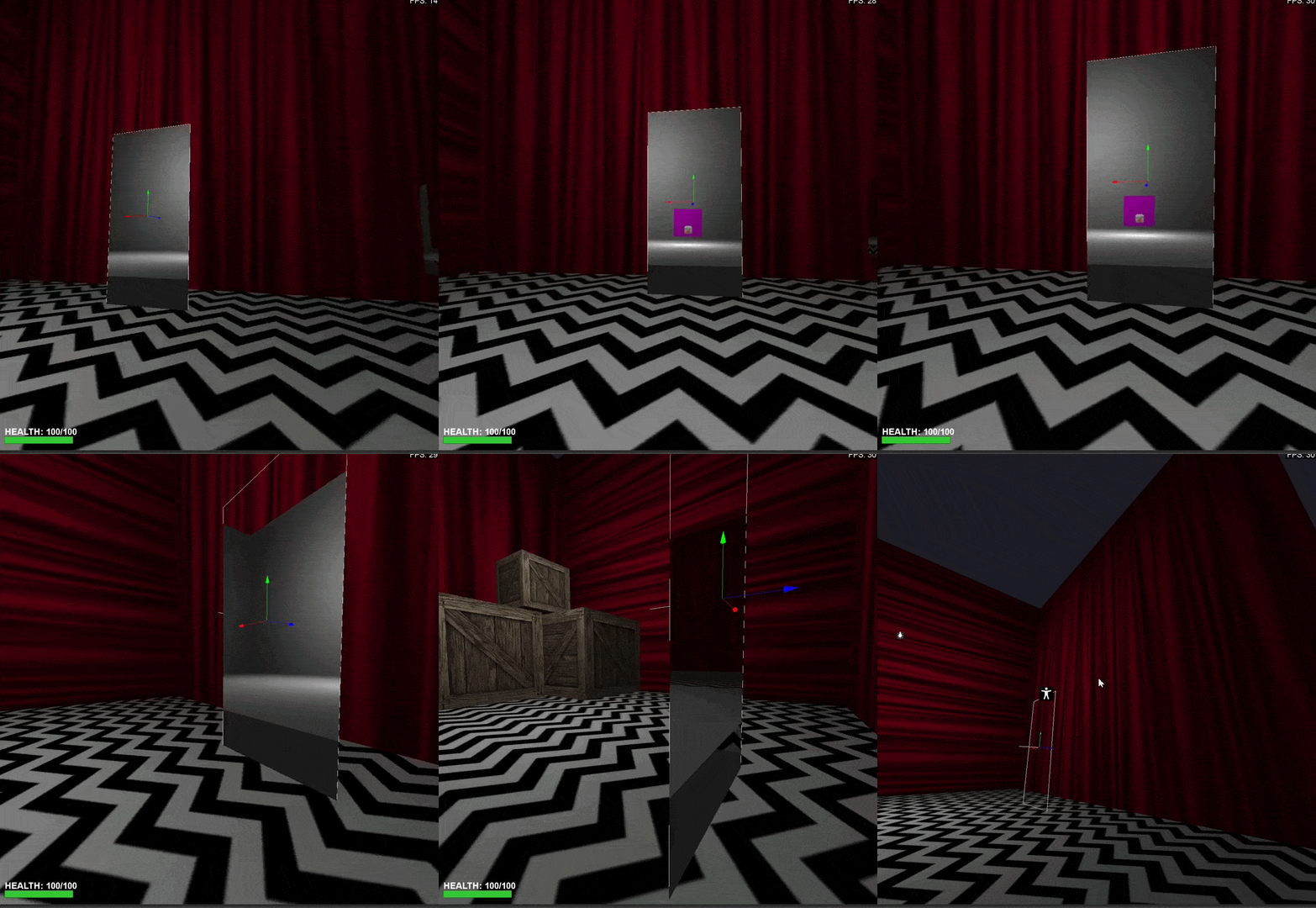
- Non-Euclidean portal connections between any two points in a level
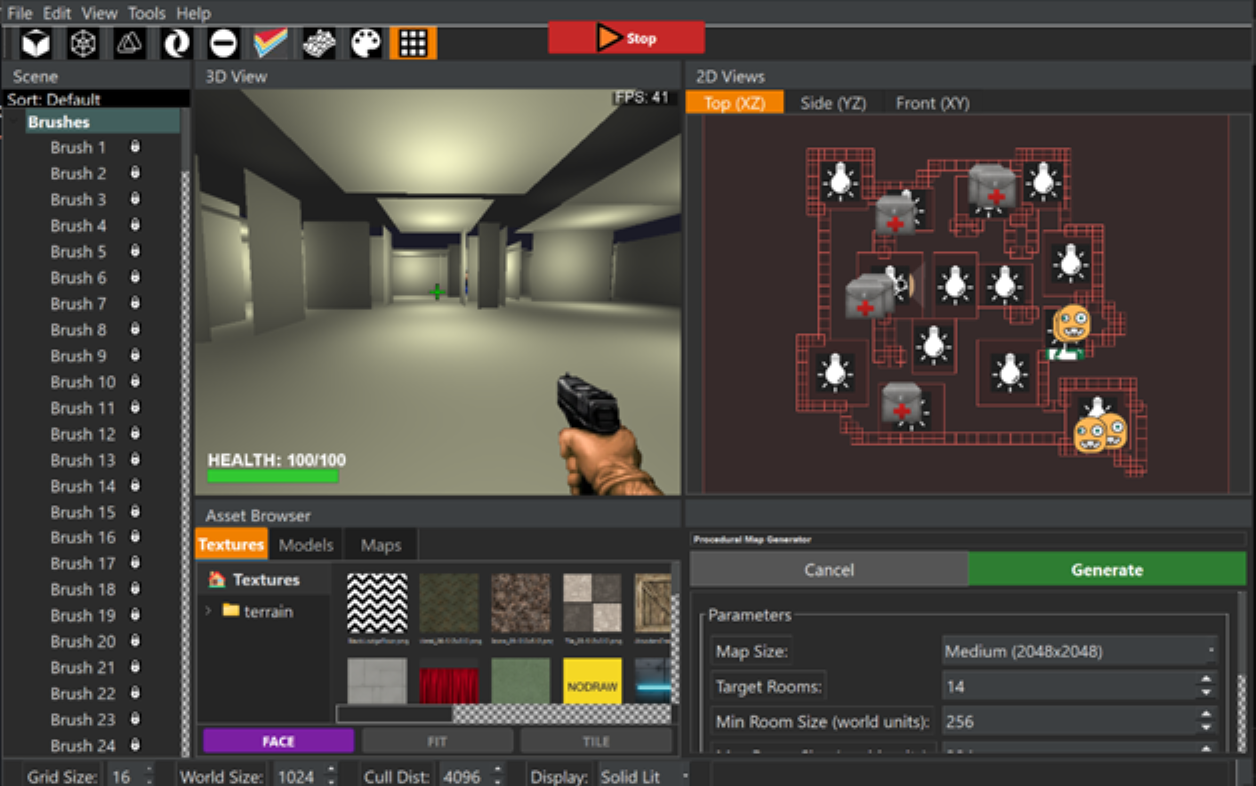
- Generate fully playable procedural maps with two clicks
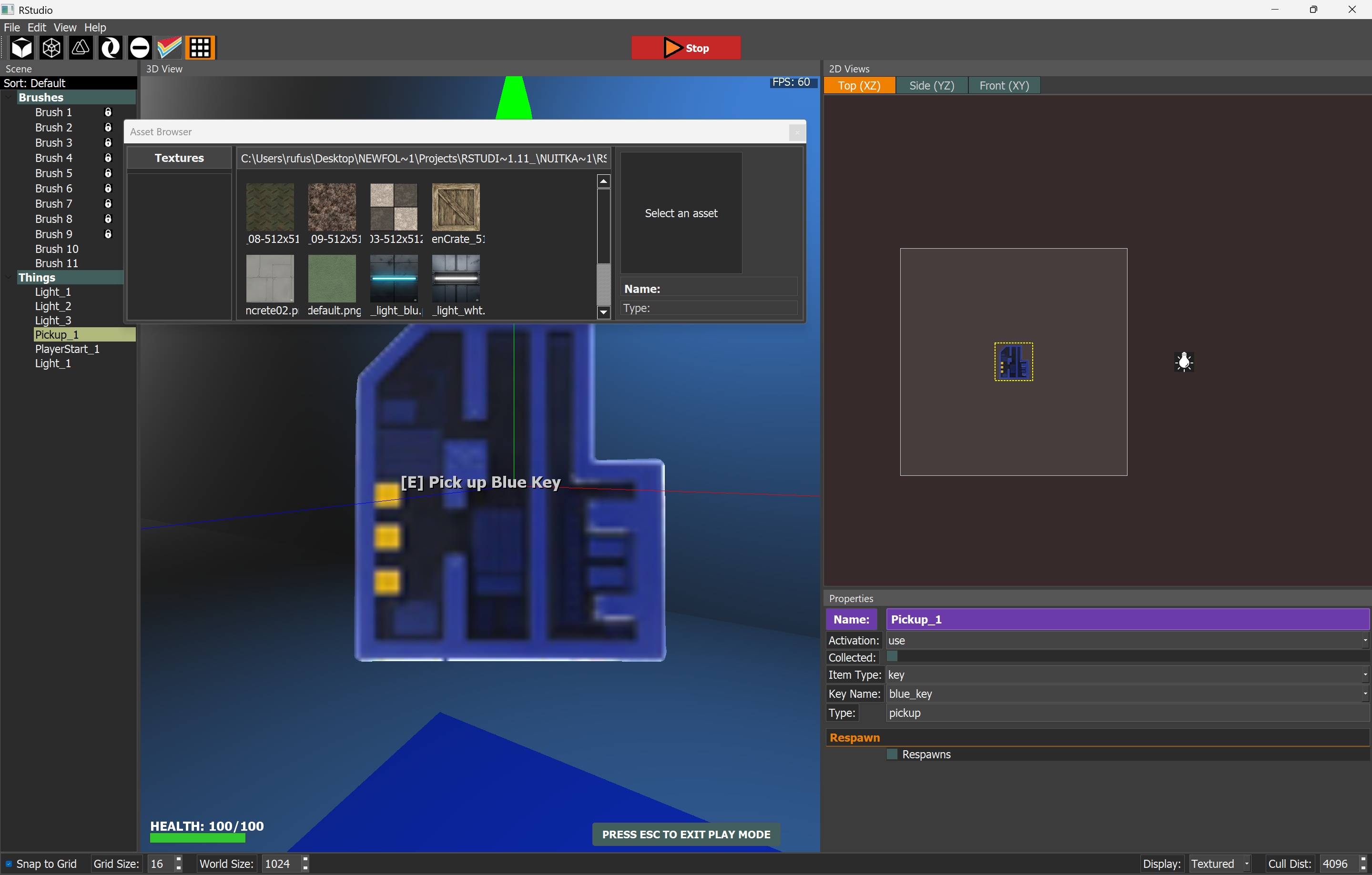
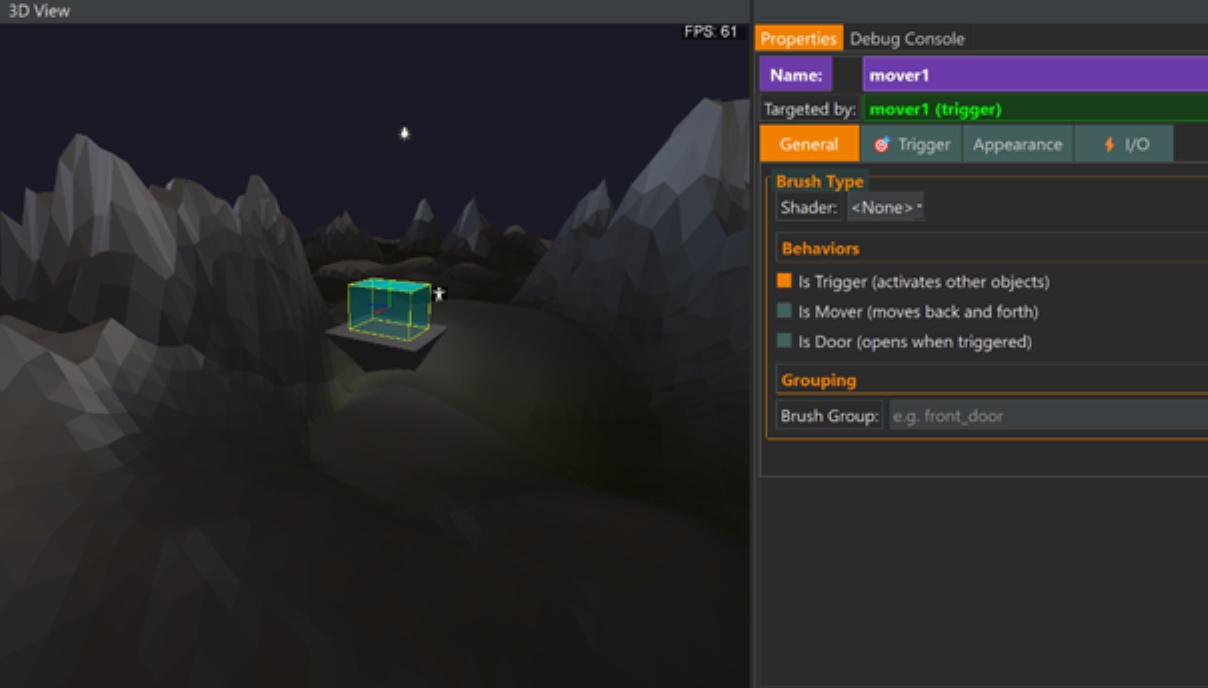
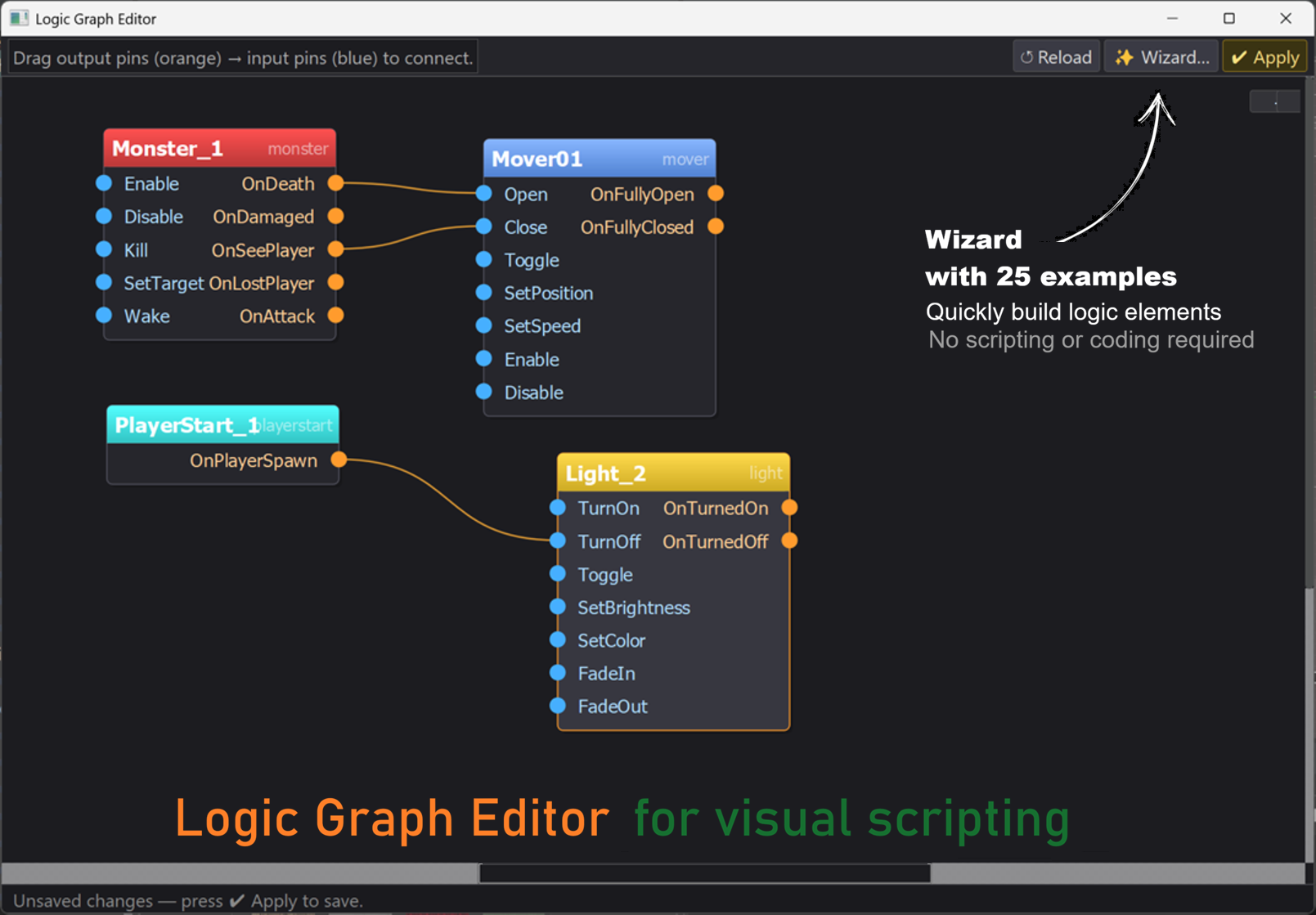
- Entity I/O logic system inspired by Source engine
- Local split-screen multiplayer
- Export projects as portable, self-contained packages
- A continuous camera system with first-person and top-down presets.
- Fully extendable via plugin API (example plugins included)
- Designed to bring back the immediacy of classic Radiant/Worldcraft workflows
Why Fio exists
An engine built for rapid experimentation. Fio explores a unified approach to level editing and runtime simulation:
- Reducing friction between authoring and execution
- Reintroducing brush/CSG-based workflows in a modern runtime
- Treating gameplay logic as a visible, editable system
- Supporting rapid experimental iteration in rendering and world design
- Enabling native non-Euclidean level design via world portals
- Persistent global key/value storage allows maps to influence later maps and enables branching narratives.
Official repo: ViciousSquid/Fio
Download
Development log
- Making an RPG with Fio20 hours ago
Comments
Log in with itch.io to leave a comment.
Version 2.2.0.1908 (Milestone 7) has just been released with everything needed to make and distribute First person, Top-Down and Open-World games
The Mac version seems to be damaged. When I open it says: “Fio” is damaged and can’t be opened. You should move it to the Trash.
Is this a bug or am I doing something wrong?
I've been looking for a tool like this for years, so I'm very excited to work with it! Thanks!
Hi! That was my fault, I forgot to ad-hoc sign the app. I just uploaded a new macOS build (1909) that should work - please report back
and thanks so much for your interest!
macOS Instructions:
Download and unzip
Right-click Fio.app
Click "Open"
macOS blocks the launch,
Go into Privacy & Security and click the "Allow" button on the section that shows that the app was blocked.
Don't forget to check the wiki:
https://github.com/ViciousSquid/Fio/wiki
It's working perfectly now, thank you so much!
You are so welcome! Thanks for letting me know,.
Please message me any time about this. I appreciate you and your interest in my project! - I'd love to see what you create!
Edit: New version 2208 just uploaded
Hey I think this tool is really great! I'm having a little bit of trouble understanding the workflow for building level geometry. Please consider this comment as a plus 1 for a quick map building tutorial/video :)
Hi thanks for your message. It's easy if you've used Radiant or Hammer before.
I will make a video!
in the meantime:
Getting started & Basic Navigation · ViciousSquid/Fio Wiki
Basic concept: Brushes · ViciousSquid/Fio Wiki
* Drag out a box in all three of the 2D views
* Use the "room tool" (first toolbar button) to make it hollow
* Right click in the 2D view and select "player start"
* Click "Play"
The Tools menu can create entire maps (and terrain) quickly
Look at the example maps included.
version 2.0.0.0 (Milestone 4) has been released!
cigpickupPlease view the Fio Wiki thank you x
I just released version 1.2.6.31 with a Procedural liminal map generator (Tools menu)
it will automatically make playable maps with one click
Split-screen now works in Play Mode: Use console command `ss` or press F9 - control player2 with attached gamepad or cursor keys
Please view the Fio Wiki thank you x
I just released version 1.2.6.0 with PORTALS - have some fun with them :-)
Also the ability export creations as package files which can be shared - and a new fullscreen mode (F12 during play mode)
plus example maps to demonstrate the new stuff - changelog
Please view the Fio Wiki thank you x
This is awesome can’t wait to see more also super excited for the split screen controller gaming stuff next this is really damn cool!!! Can’t wait to try the new features out
I found a BUG preventing a Spawner entity from spawning a Monster - fixed and released new version 1.2.6.1
Please read the changelog
This looks super cool going to give it a try, how good is it for building full games by chance? I had some other questions but am gonna give it a shot and play around with it. Is there a chance theres local coop/splitscreen implemented in with the scripting tools provided (this is just my favorite thing and want to add it in all my stuff)? Is it pretty extensive to use for different kinds of games and building your own systems in engine? This just looks really cool so I was just curious about some stuff!
Hi thanks for your message. Everything made cannot yet be exported but I'm working on that - in future this will be capable of exporting self-contained games.
I like your idea of split-screen and I will work to implement this
I would absolutely love the split screen idea for me it’s really important and not a lot of game engines allow for it easily this is really cool by the way I was having so much fun just messing around and building little levels last night. One suggestion with the monsters and entities it would be really cool to add your own icons in the future. Thought the monster icon was cute and thought it would be neat to change the little icons to whatever you would like. Loving it so far going to keep this saved and watch for any updates!!!!
Version 1.2.6.0 was just released with the ability to customise monster sprites in the 2D view.
* Creations can be exported to .fiopak files
* .fiopack creations can be imported and played via the File Menu
* F12 in Play Mode goes fullscreen
* PORTALS!
Split-screen coming next! changelog
Heck yeah I’m so excited to see what you do next with this engine. it’s also really awesome to have something labeled as a liminal engine it really does have that feeling. Also it’s awesome you added the ability to change that I love customizability and it adds a lot at least to me.
Hi StarlitWolf!
I just uploaded 2.1.6.30 with split-screen
Use console command "ss" or press F9 during Play Mode
Player 2 is controlled with an attached gamepad or via cursor (arrow) keys
changelog here
I do not have a gamepad so let me know if this works.